Step-by-step instructions for installing the app "Adventure Navi" on Android devices and registering in the app.
To start installing the app, you need the Internet browser on your phone.
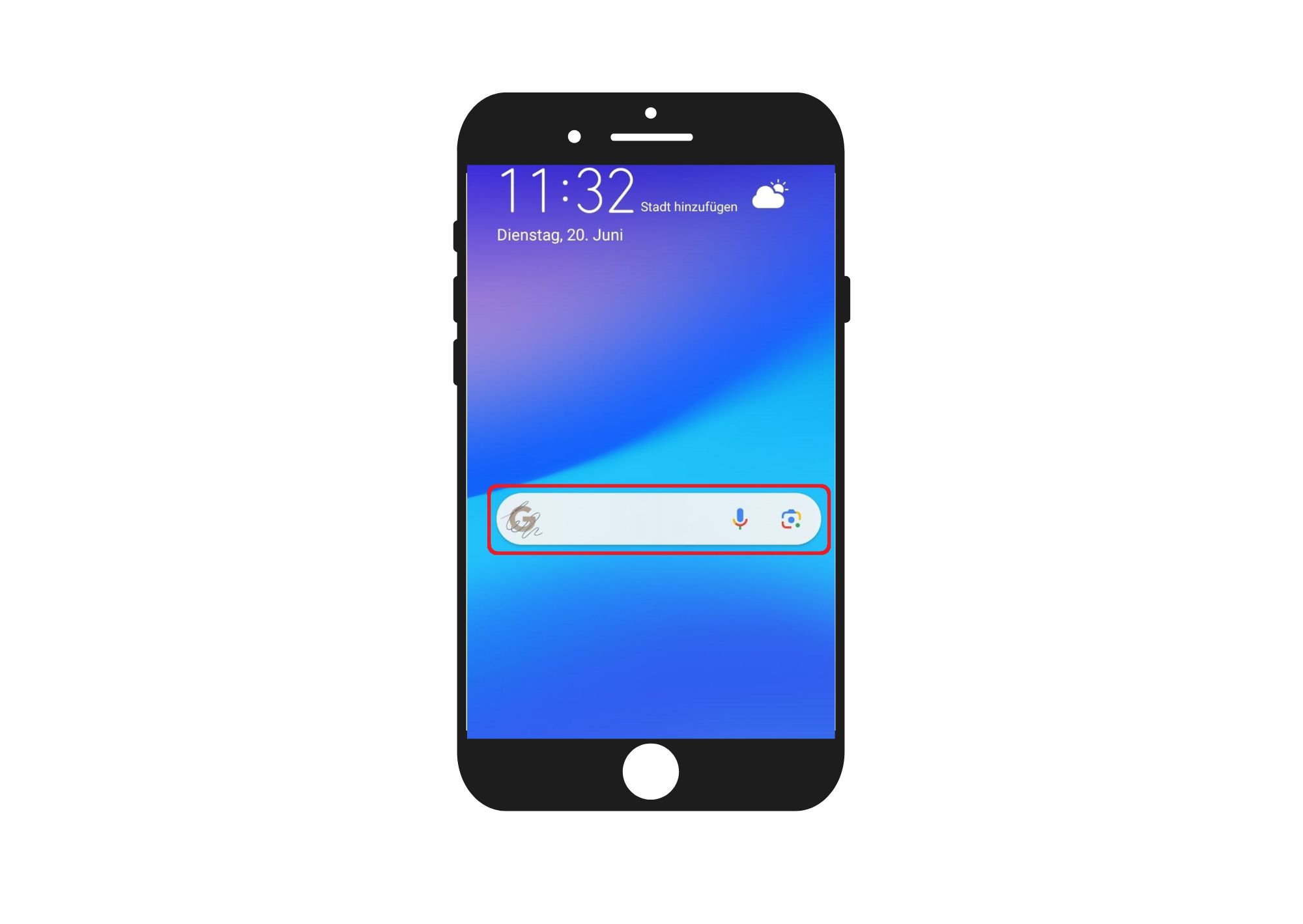
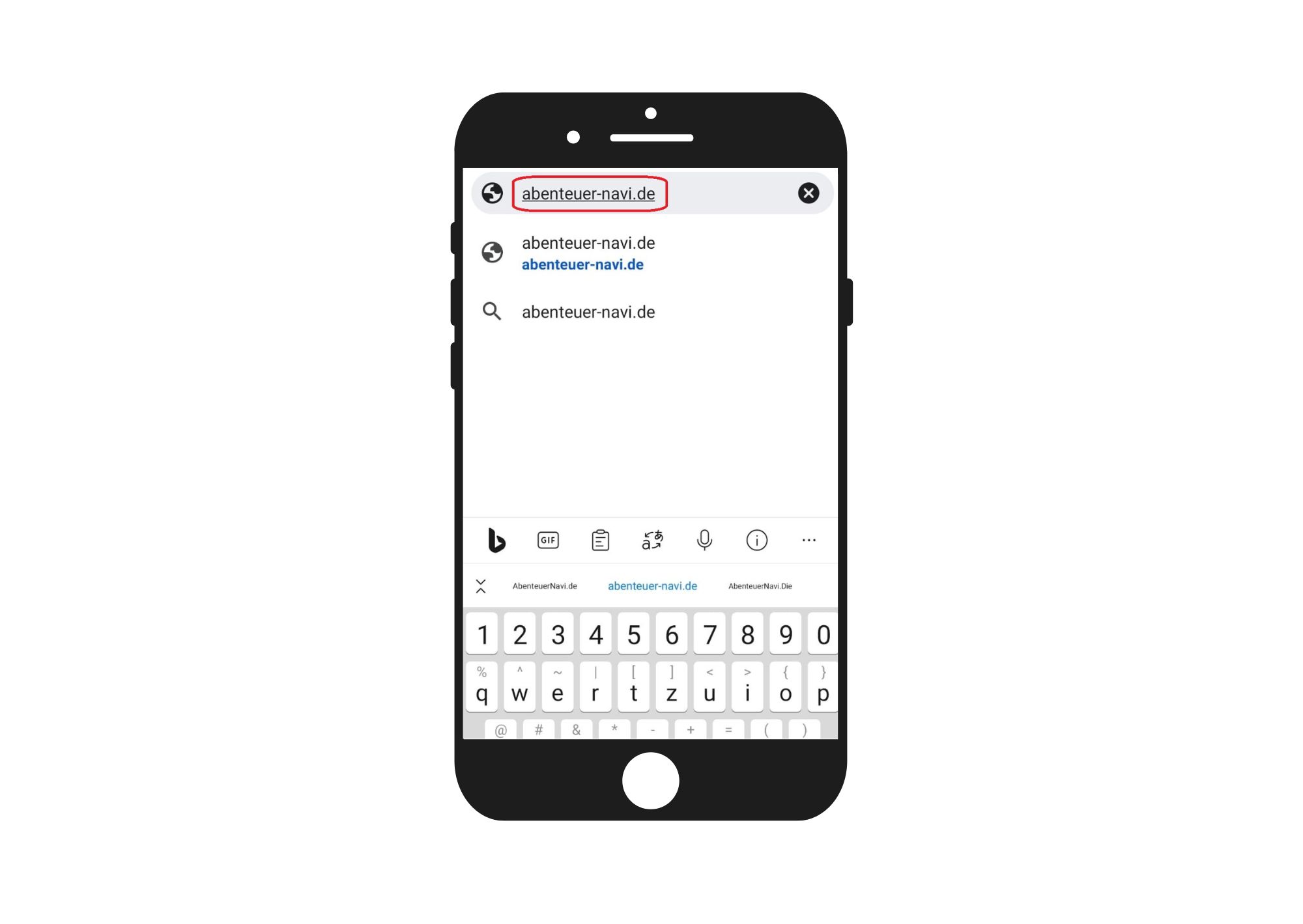
In the search field of your browser you enter the following: adventure-navi.de and click Search or Enter.
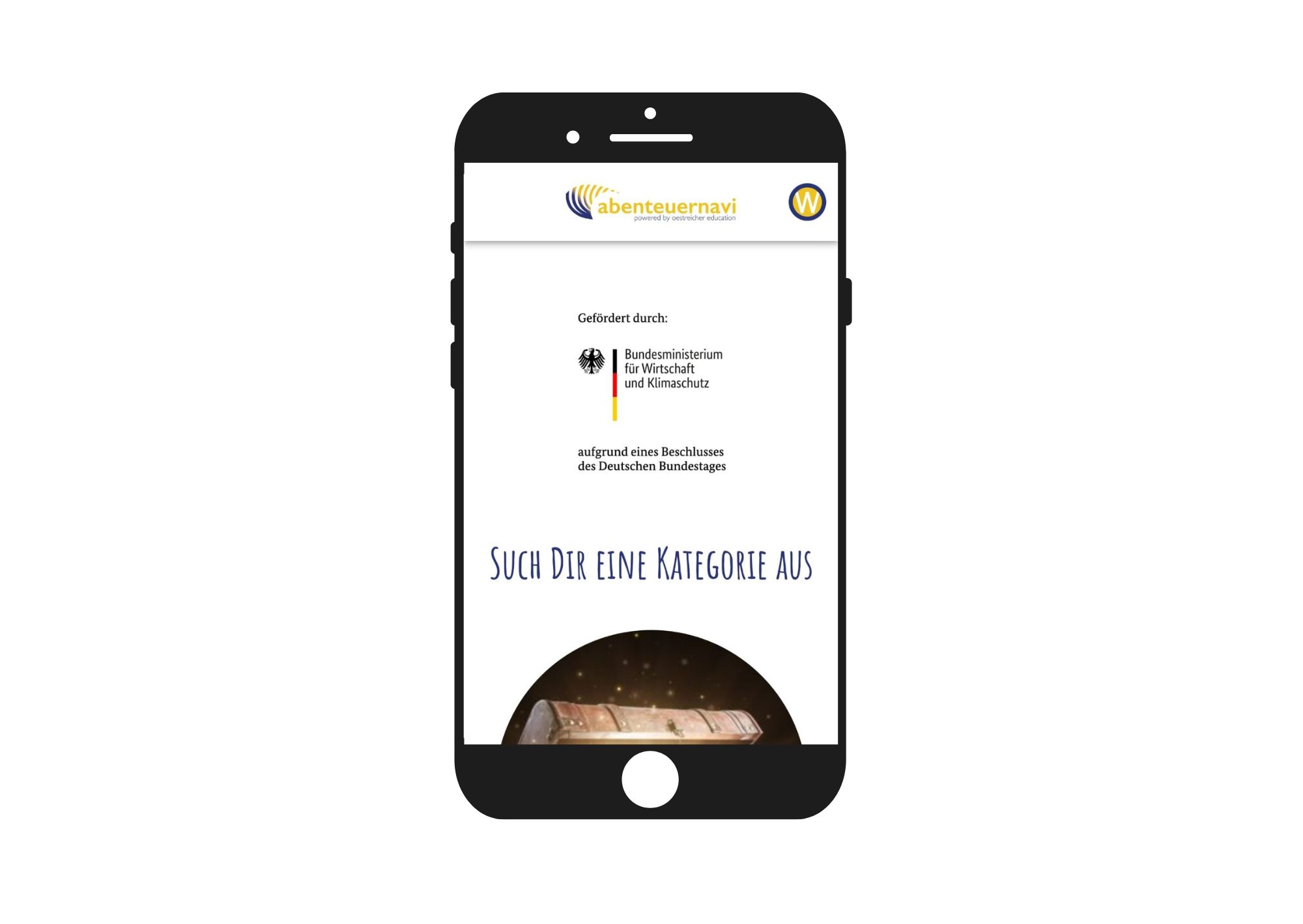
This is the home page of the app "Adventure-Navi".
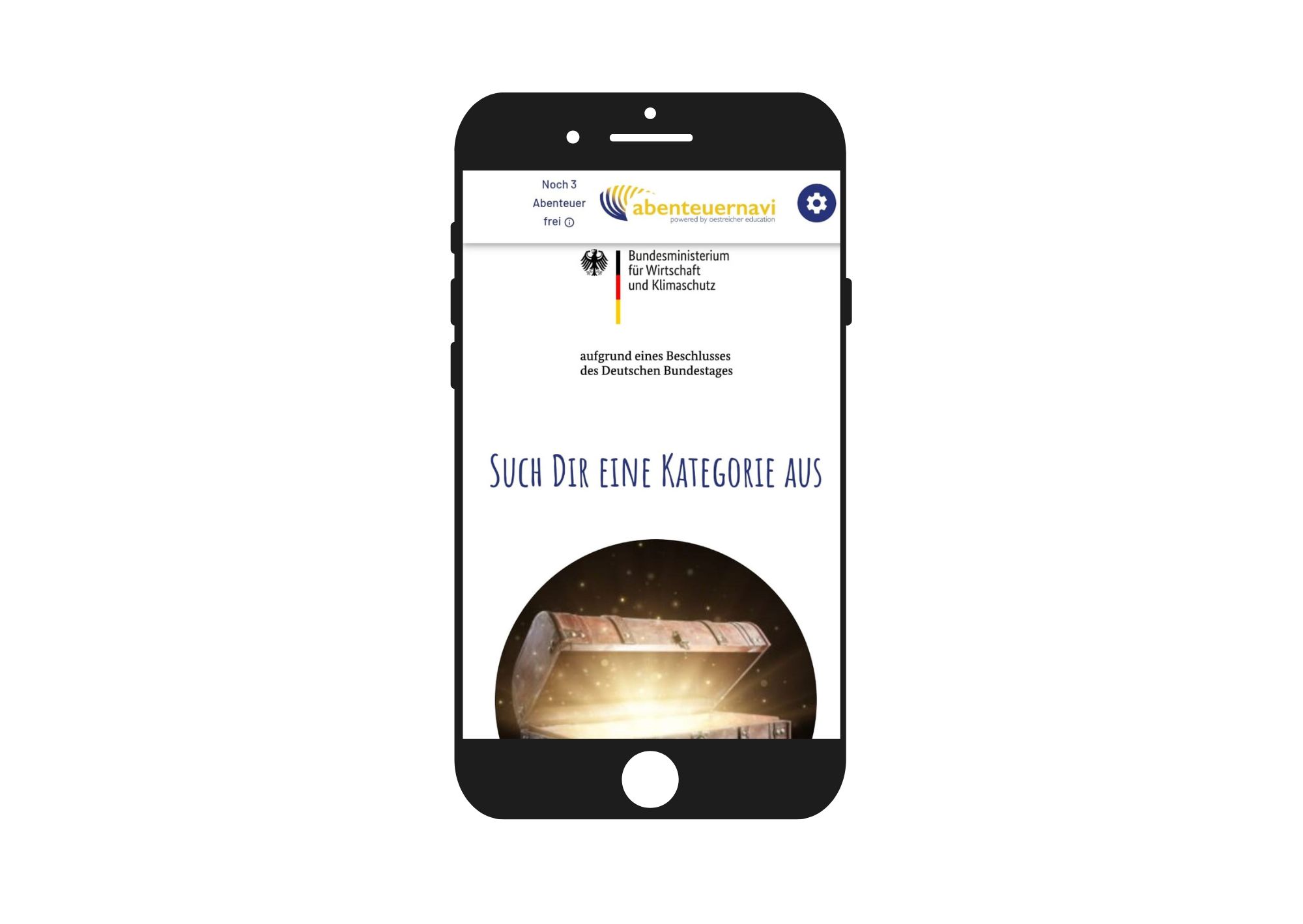
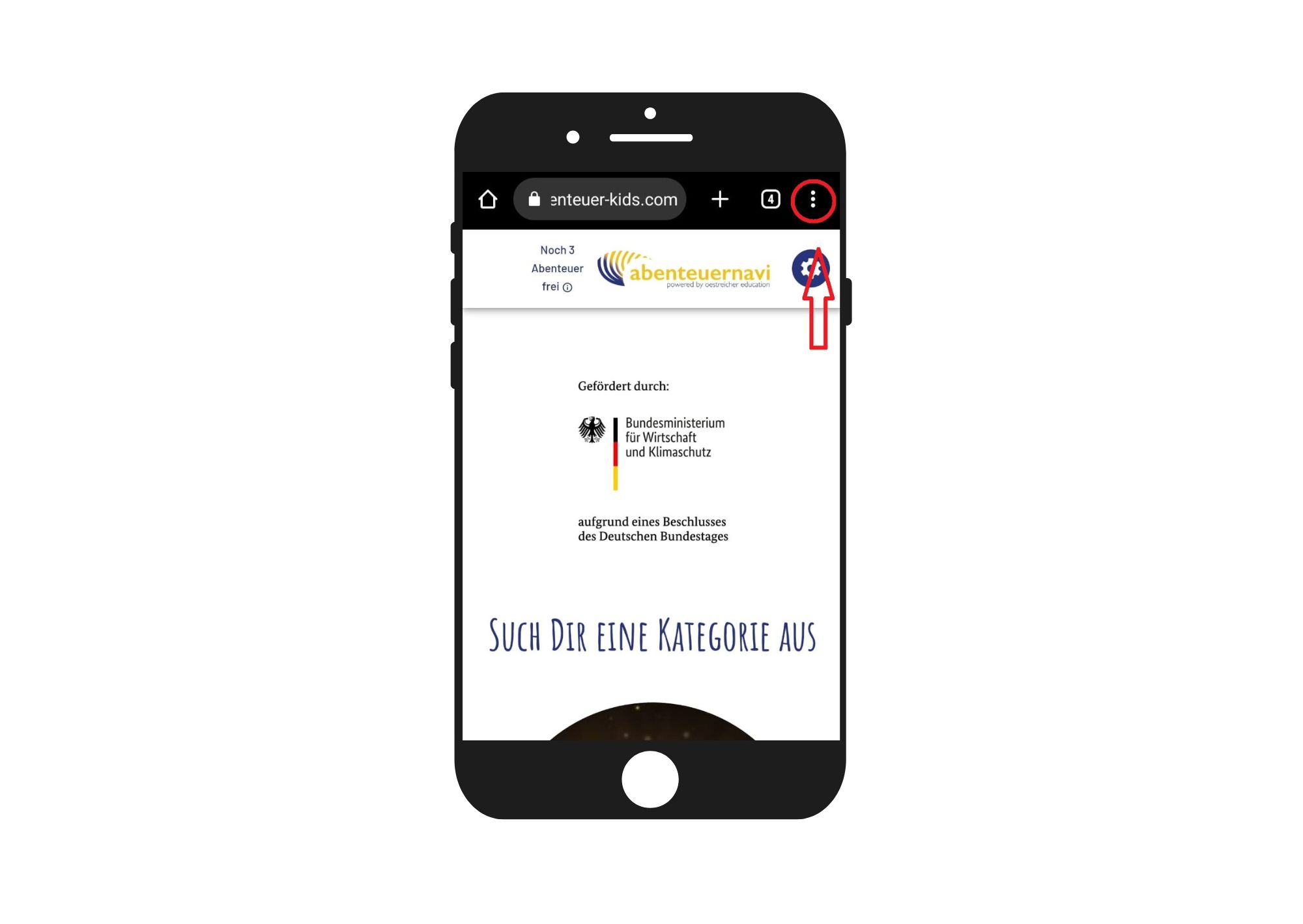
Now you scroll all the way up until the three dots appear on the top right. You are marked red here. Then click on the three dots.
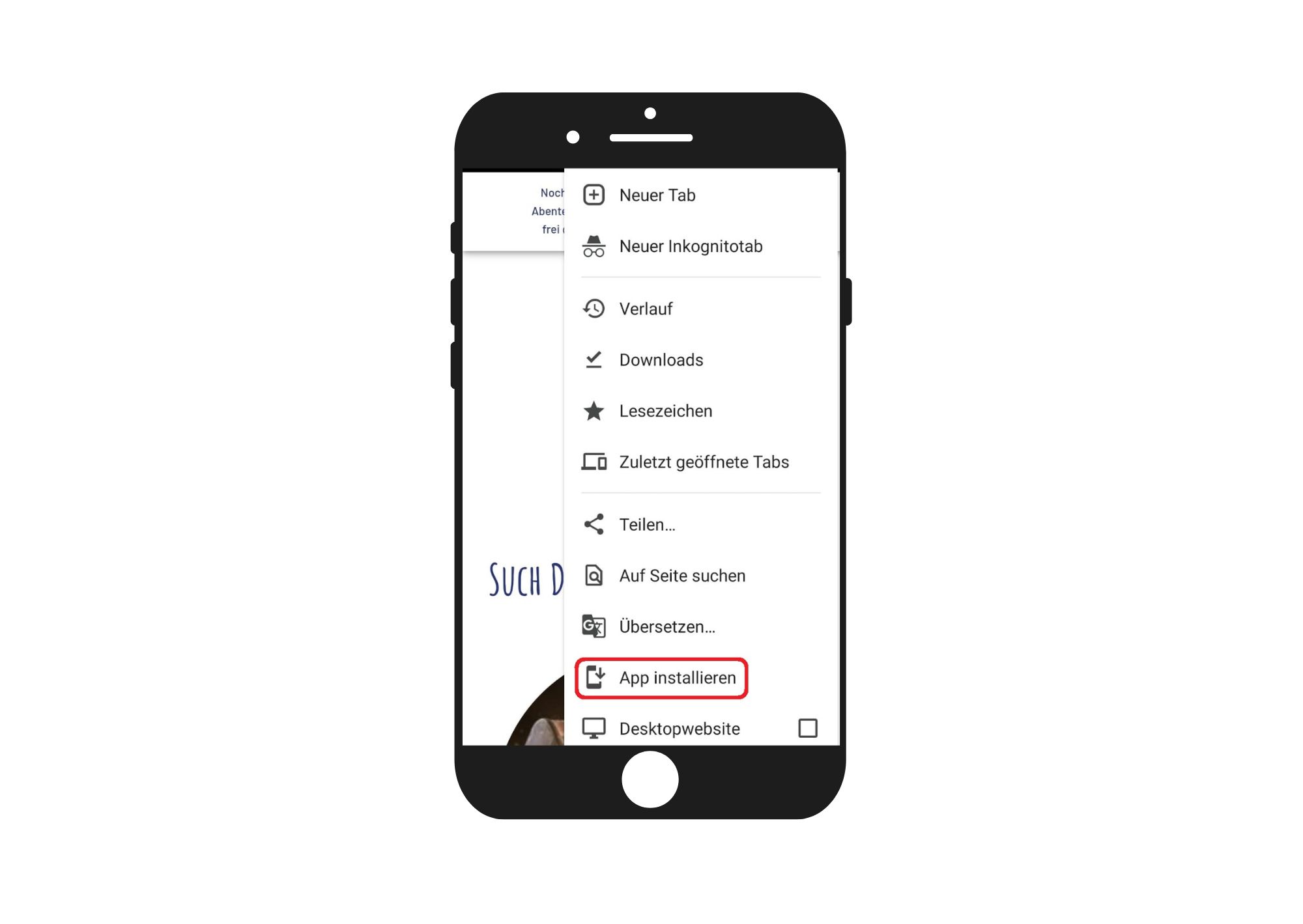
Clicking on the three points opens this menu. Next click on the menu item "Install app".
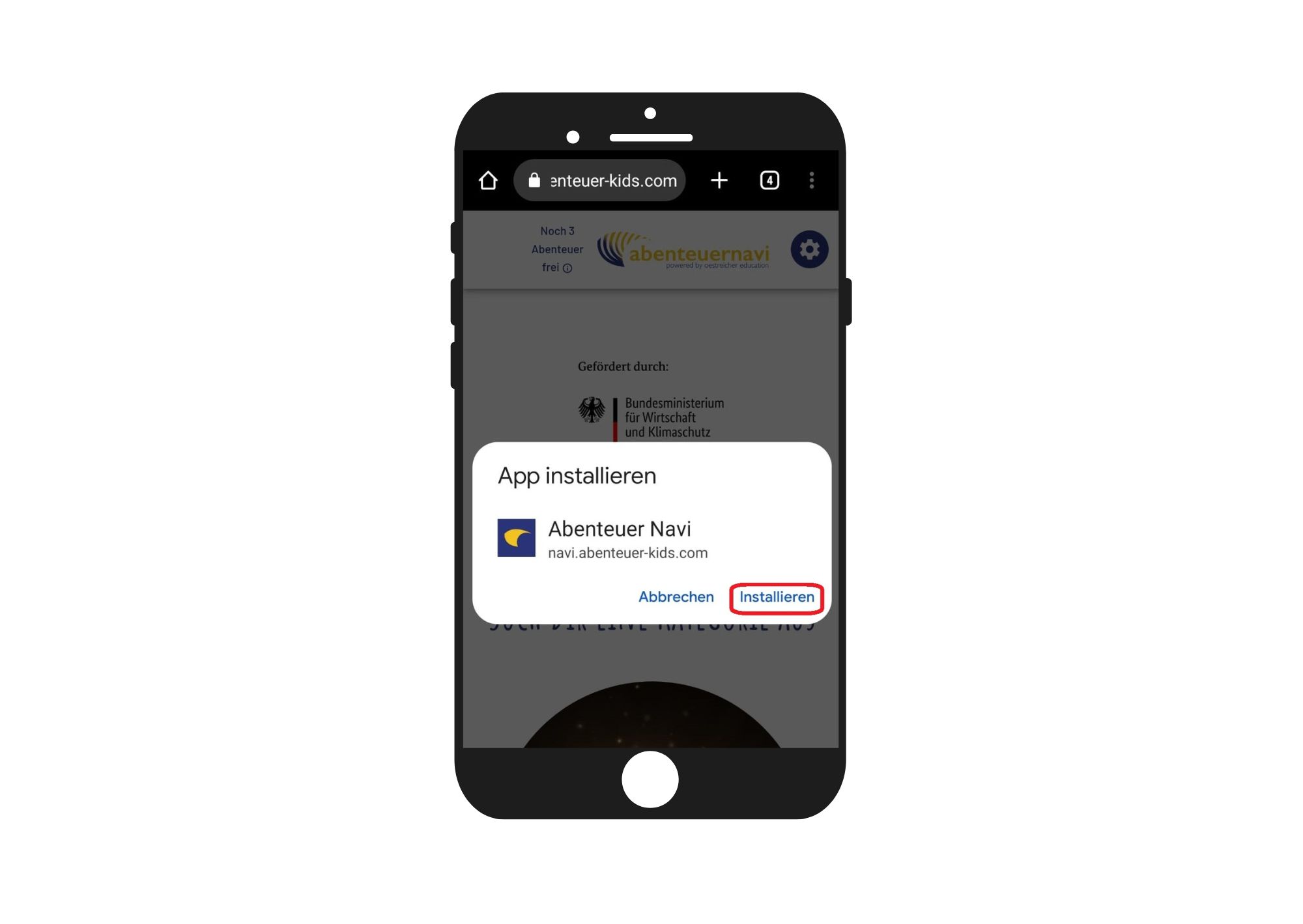
In the next step, this dialog opens.
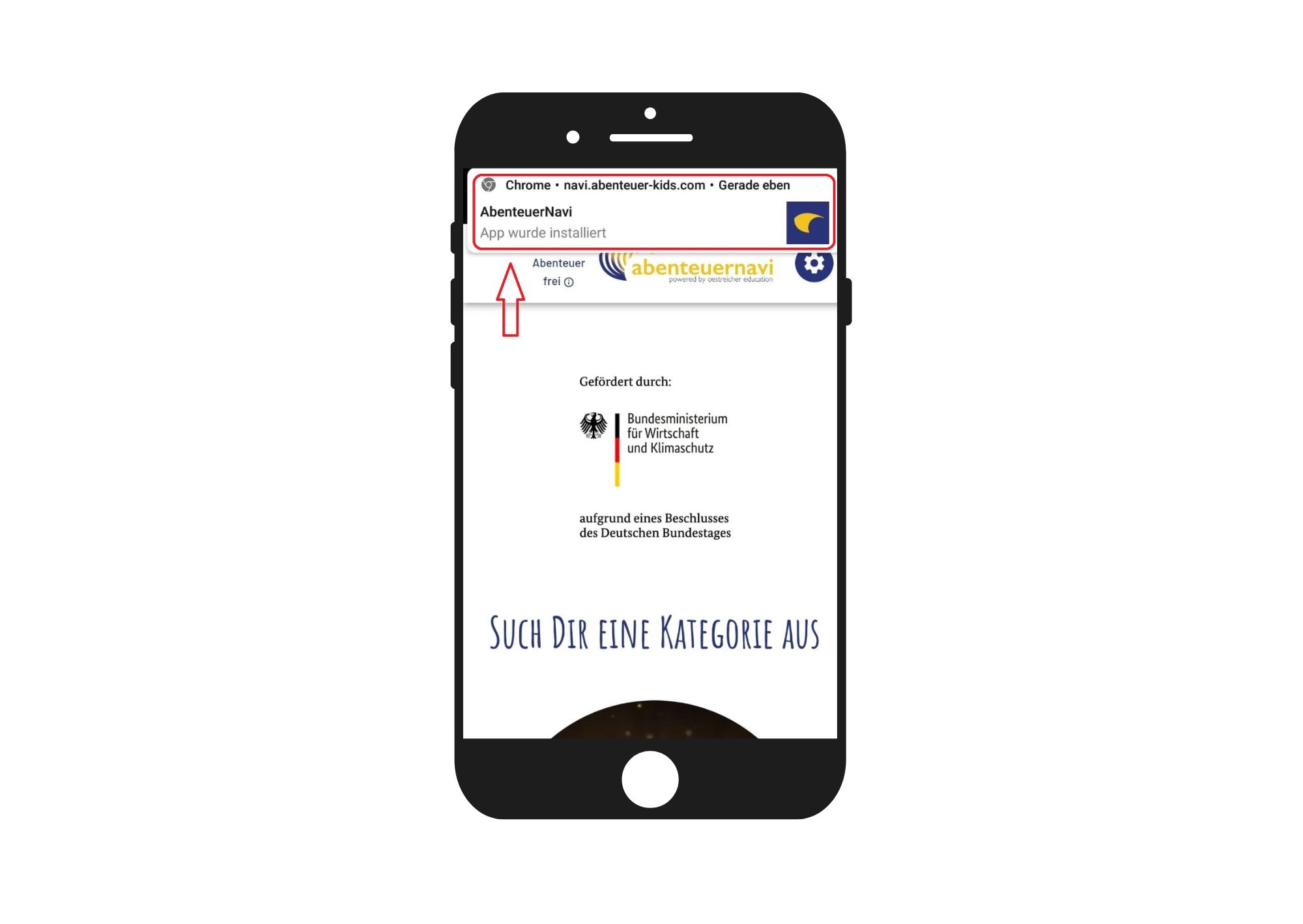
Click "install" and the app will be installed on your device.
Your device displays the installation of the app.
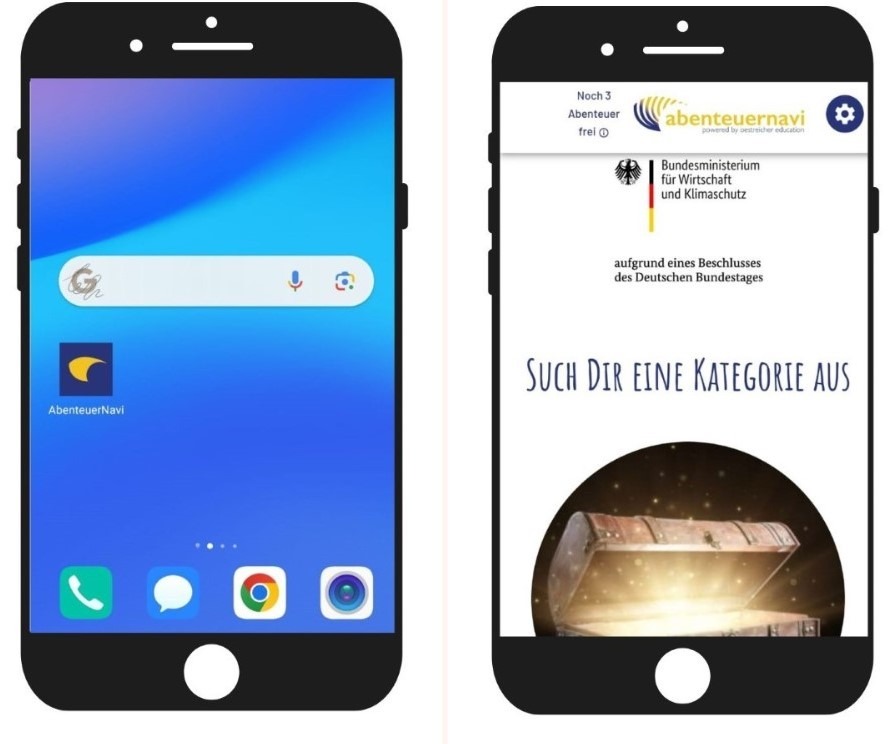
Now you close the app and find the app icon on your screen of the device.
Here you can see the installed app on your screen. You can now access the Adventure Navi directly via the app icon.
Try it out!
![Bild zum Schritt 7 für das Bastel- und DIY-Abenteuer für Kinder: '[Eltern]Hier seht ihr die installierte App auf eurem Bildschirm. Über...'](https://abenteuer-markt.de/wp-content/uploads/cooked/images/recipes/30343/directions/92905594-navi Handy Installation 8.jpg)
Here you can see the start page of the app again.
The next step is the registration and registration as a user of the app.
On the top left you can see that unregistered users have 3 test adventures free.
In order to be able to use the app fully during the test phase, click on the gear wheel at the top right with a double click.
There you get to the free registration.
![Bild zum Schritt 8 für das Bastel- und DIY-Abenteuer für Kinder: '[Eltern]Hier seht ihr wieder die Startseite der App. Weiter...'](https://abenteuer-markt.de/wp-content/uploads/cooked/images/recipes/30343/directions/55352973-navi Handy Installation 9.jpg)
Double-clicking on the gear opens this dialog window.
First selects the menu item "Log in/Register".
![Bild zum Schritt 9 für das Bastel- und DIY-Abenteuer für Kinder: '[Eltern]Durch einen Doppelklick auf das Zahnrad öffnet sich dieses Dialogfenster....'](https://abenteuer-markt.de/wp-content/uploads/cooked/images/recipes/30343/directions/81387236-navi Handy Installation 10a.jpg)
A new dialog box appears.
Already registered users can log in again with user name and password.
To register for the first time, click on "Not registered yet?"
![Bild zum Schritt 10 für das Bastel- und DIY-Abenteuer für Kinder: '[Eltern]Ein neues Dialogfeld erscheint. Bereits registrierte Nutzer können sich...'](https://abenteuer-markt.de/wp-content/uploads/cooked/images/recipes/30343/directions/27789604-navi Handy Installation 12.jpg)
Registration is free and easy.
You need a username, a valid mail address and a password.
When these fields are filled in, something scrolls down.
![Bild zum Schritt 11 für das Bastel- und DIY-Abenteuer für Kinder: '[Eltern]Die Registrierung ist kostenlos und kinderleicht. Ihr braucht einen...'](https://abenteuer-markt.de/wp-content/uploads/cooked/images/recipes/30343/directions/83245308-navi Handy Installation 13.jpg)
Further down in the dialog box you set the hook in the red marked area for consent to data processing according to data protection and click on "register" at the end.
![Bild zum Schritt 12 für das Bastel- und DIY-Abenteuer für Kinder: '[Eltern]Weiter unten im Dialogfeld setzt ihr den Haken im rot...'](https://abenteuer-markt.de/wp-content/uploads/cooked/images/recipes/30343/directions/54974215-navi Handy Installation 14.jpg)
We did it!
Now you are registered and logged in and have access to all adventures of the adventure navis. By clicking on the blue button at the top left you get to the start page of the adventure navis.
![Bild zum Schritt 13 für das Bastel- und DIY-Abenteuer für Kinder: '[Eltern]Geschafft! Jetzt seid ihr registriert und eingeloggt und habt...'](https://abenteuer-markt.de/wp-content/uploads/cooked/images/recipes/30343/directions/21401895-navi Handy Installation 15.jpg)
On the Home page you can either choose one of the categories or browse through all the adventures.
Have fun with it!